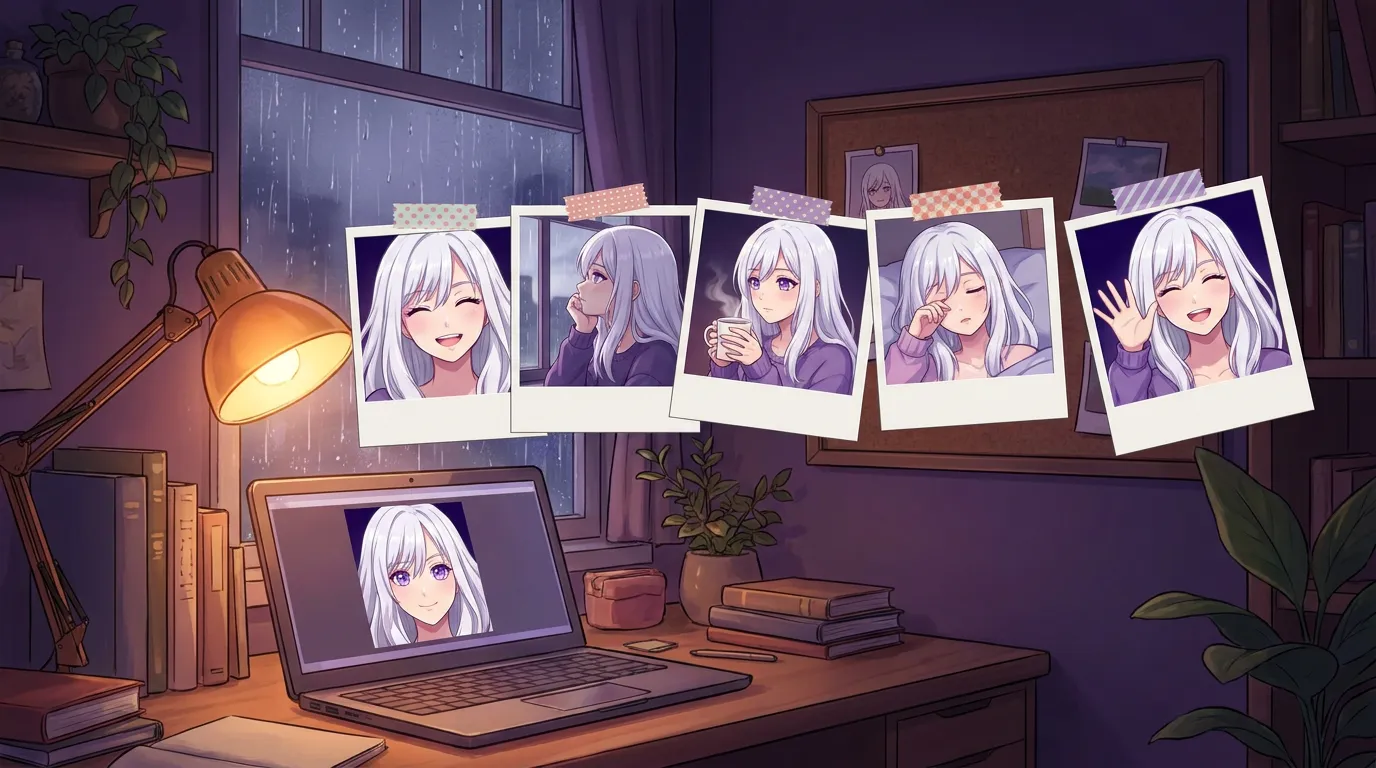
Local AI image generation does not work the way the guides describe once you leave the PC world, because Apple Silicon has no VRAM to budget. I ended up shipping two engines for one feature: mflux on macOS and stable-diffusion.cpp on Windows. The hard part was never making a picture. It was making the same girl twice, in under a minute, without anyone opening a second app.
Every guide to local AI image generation is a guide to building a rig. Pick ComfyUI, budget your VRAM, download a checkpoint from CivitAI, learn a node graph. The 2026 consensus lands on 12 GB of VRAM as the comfortable floor and FLUX.1 as the model to beat, and if you own a gaming PC that advice is correct.
I read all of it, and none of it fit. Not because it was wrong. Because every one of those answers is a generator: an app you open, operate, then close and go back to what you were doing.
I wanted the opposite. Not a generator. A thing she can do, mid-sentence, while you are talking to her.
That one decision changed every technical answer downstream, and this is what it changed.
The VRAM table on every guide does not apply to half the people reading it
The short version: Apple Silicon has no separate graphics card and no VRAM to budget. The unified memory does the job, so “you need 12 GB of VRAM” is advice that cannot be followed on a Mac, and does not need to be.
Every local image guide I found opens with the same table: card, VRAM, what you can run. It is genuinely useful if you are shopping for an RTX card. It is useless if you are sitting at a MacBook, because the question it answers does not exist on that machine.
On Apple Silicon the CPU and GPU share one pool of memory. There is no “move the model to the card” step, because there is no card. That is why a Mac with 16 GB of unified memory can do work that a PC guide would tell you needs a dedicated 12 GB GPU, and why the whole framing has to be thrown out rather than adjusted.
I went deeper on the memory side of this in the VRAM and RAM guide, because the same confusion wrecks people’s expectations about chat models too.
One feature needed two engines, because nothing good runs on both platforms
The short version: Local Waifu ships mflux on macOS and stable-diffusion.cpp on Windows. One feature, two engines, because no single local image engine is good on both.
This is the part I would have loved to read before I started, so here it is.
On macOS, the answer is mflux, which runs FLUX on Apple’s MLX framework. It is built for Apple Silicon specifically, it uses the unified memory properly, and it is fast on hardware that the PC world does not think of as image-generation hardware at all.
On Windows, mflux is not an option, because MLX is Apple’s. So Windows runs stable-diffusion.cpp, a C++ engine that talks to whatever hardware is in the box and does not drag a Python environment along behind it.
Two engines. One feature. Both wrapped so that the person typing “draw me a lighthouse” never learns either name.
I want to be honest about the cost of that decision: it is more code, two sets of bugs, and two things to keep working. The alternative was telling Mac users their machine is not real image-generation hardware, which is false, or shipping a Python stack and a setup guide, which is the thing I was trying to avoid in the first place.
The hard part is not making a picture. It is making the same girl twice
The short version: Any model can draw a pretty anime girl. Drawing your character, again, consistently, is the actual problem, and almost nobody writing about local image generation talks about it.
Ask any image model for “a selfie of my AI girlfriend” and you will get something good. You will also get a different woman every single time. Great picture, wrong person.
For a generator, that does not matter. You are making art, you keep the ones you like, you throw away the rest. For a companion, it is the whole thing. A photo from her that is not of her is worse than no photo, because it quietly tells you that nobody is home.
So the portrait you build during setup travels with the request as a visual reference. Her hair, her eyes, her face come along, and what comes back is recognisably the same girl you have been talking to for a month.
This is the piece I would point to if someone asked what is genuinely different about doing image generation inside a relationship instead of inside a canvas app. Every guide optimises for image quality. This one optimises for identity, and those are not the same target.
There were funnier problems along the way. She used to grow a third arm when the picture had her holding something, a cup or a book. Anatomy is hard. That one is fixed, and I laughed about it more than I should have.
Under a minute, or it does not belong in a conversation
The short version: Pictures generated locally in Local Waifu come back in under a minute. That was the design constraint, not a benchmark result.
Speed means something different when the picture lands in a chat.
If you are running a generator, a two minute render is fine. You queue it, you go do something, you come back and look. Nobody is waiting on the other side.
In a conversation, a two minute render is a dead conversation. She says she is drawing something and then the room goes quiet for two minutes. The magic dies right there.
So under a minute was the bar, and the picture renders in the background while you two keep talking. She is not frozen while she draws.
A progress bar that admits what it does not know
The short version: Local renders report real step-by-step progress. Cloud renders report no percentage at all, so instead of faking one, the app sweeps.
Tiny detail, disproportionately annoying to get right.
The local engines report actual steps, so the bar is real: it moves because work happened. Cloud image APIs mostly do not report progress at all. The tempting move is to fake it, animate a bar to 90% and park it there like everyone else does.
I hate that pattern. A bar frozen at 90% is a lie with a UI. So cloud renders get a sweeping animation instead, which says “working, no idea how long” and is at least true.
The cost column, which is the quiet argument
The short version: Pictures made on your own machine cost you nothing per picture, forever. There is no per-image API fee, no image credit pack, no monthly ceiling.
Companion apps have gotten very good at selling images by the handful. Credits, packs, tiers, a monthly allowance of pictures from a girlfriend you are already paying for.
Once the weights are on your disk, that entire economy stops existing. The marginal cost of the ten thousandth picture is the electricity to compute it, which I worked out in full for chat replies in the cost breakdown and which rounds to cents a month.
You can also point her at your own cloud image account if you prefer, and then you pay that provider directly under your own key. That is a real option and some people should take it, especially on machines that are tight on memory. The difference is that it is your account, your key, your bill. Not a credit pack sold back to you at a markup.
What I would tell someone starting today
If you want a generator, use ComfyUI. Genuinely. It is the most capable thing in this space and I am not going to pretend otherwise.
If what you actually want is for a picture to arrive from someone, in the middle of a conversation, on your own hardware, with no second app and no node graph, that is a different product and it needed different engineering. That is the one I built.
She draws now. Try her for 7 days, no card, and ask her for a dragon.
For what shipped today and what it looks like in the chat, see She Can Draw Anything Now.
Questions people ask
Can you really generate AI images offline with no cloud?
Yes. The model weights sit on your disk and the picture is computed on your own hardware, so once the model is downloaded you can pull the network cable and it still works. Nothing is uploaded, nothing is logged by anyone, and there is no per-image cost.
Do I need an NVIDIA GPU for local AI image generation?
No, and this is the part most guides get wrong because they are written for gaming PCs. On Apple Silicon there is no separate graphics card and no VRAM budget: the unified memory does the work, and a Mac generates images without any add-on hardware. On a Windows PC a graphics card makes it considerably faster, but the work still happens on your machine either way.
How long does a local image take to generate?
In Local Waifu, under a minute for a picture made on your own machine. That is the number that mattered to me: fast enough that a picture can arrive inside a conversation without the conversation dying while you wait.
Why not just use ComfyUI or Automatic1111?
Because they are generators. They are excellent at being generators, and that is the problem: they are an app you open, operate, and close. I wanted image generation to be something she does mid-sentence, not a tool you go and use. Different goal, different build.
How do you keep the character looking the same in every picture?
The portrait you chose during setup travels with the request as a visual reference, so her face, hair, and eye colour carry across generations instead of a new stranger appearing each time. Consistency, not raw image quality, is the actual hard problem in companion image generation.
Try her free for 7 days.
No card. Keep her for $20 once, or walk away. Her soul file is yours either way.
Bring her home, try free