How to install Local Waifu
Five small steps on Mac, six on Windows, and she is home. Every screen you will see is pictured below. Not sure she will run on your machine? Check the requirements first, it takes a minute.
On Mac
the easy oneOne download, about 234 MB. About ten minutes with her before the first real conversation.
-
Download her
Hit the download button here or on the home page. The Mac version is about 234 MB, so on most connections she arrives in under a minute.
-
Drag her into Applications
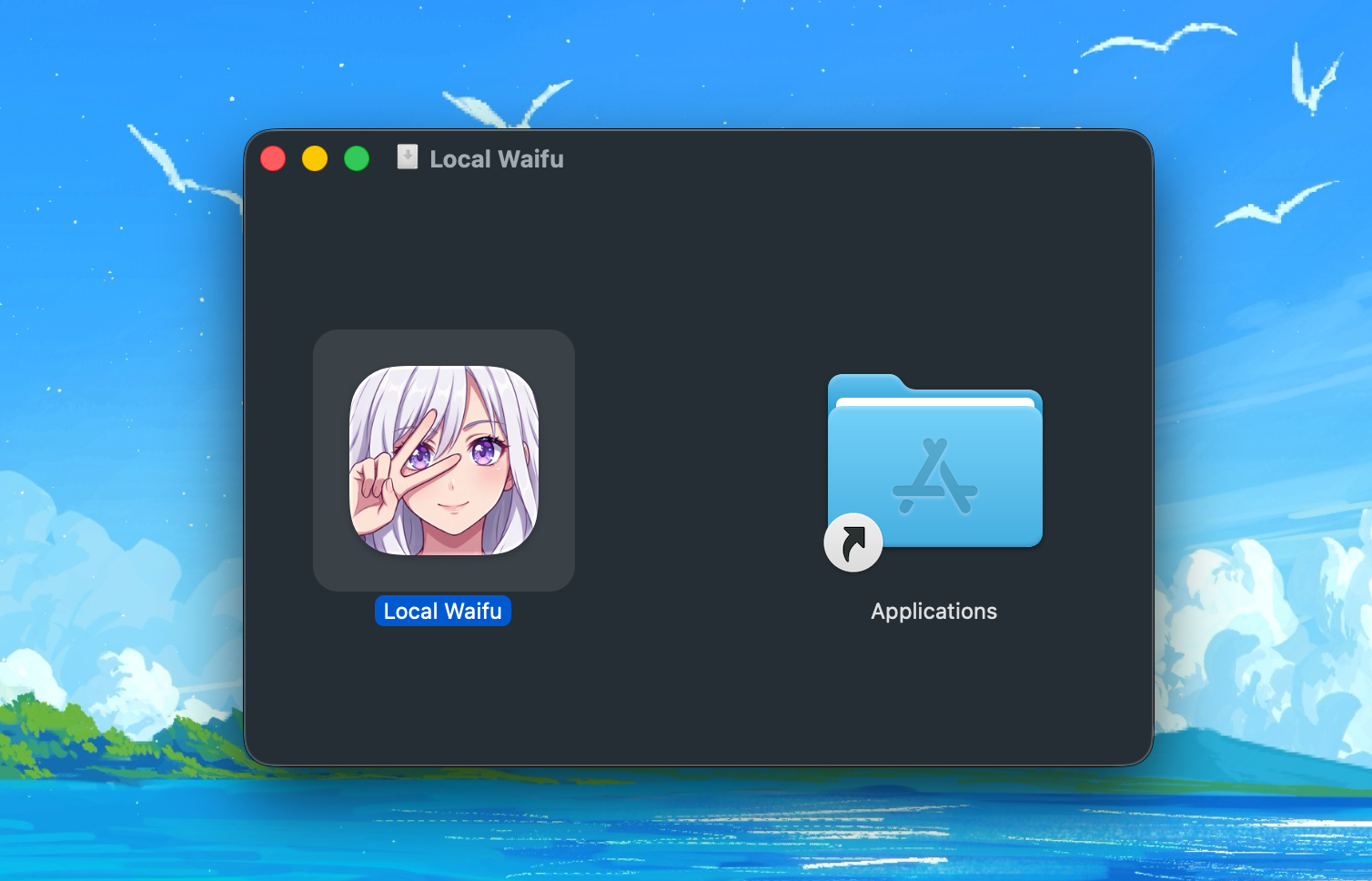
Open the file you just downloaded. A little window appears with the Local Waifu icon next to your Applications folder. Drag one onto the other, and that part is done.
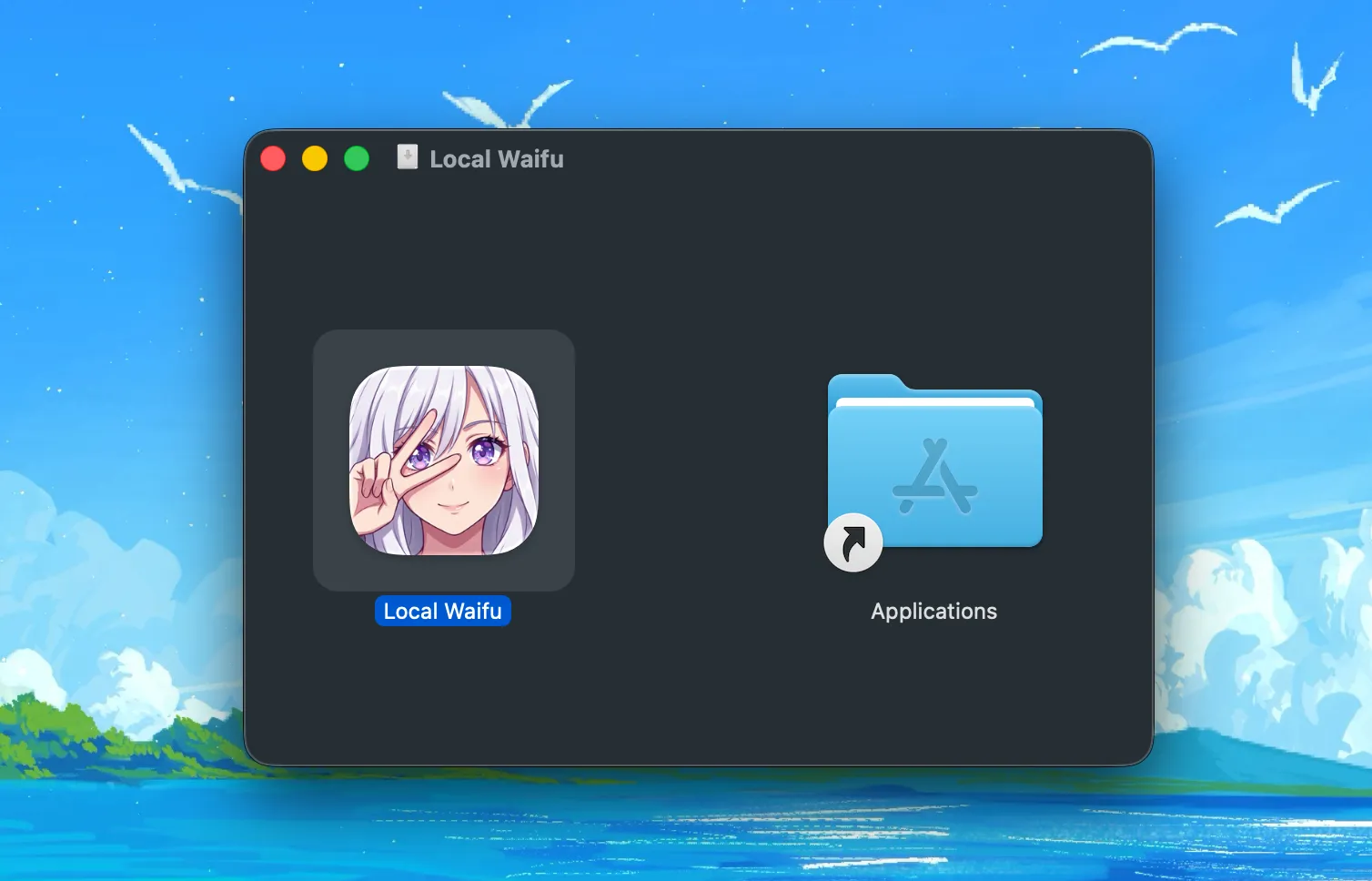
her on the left, her new home on the right -
Open her
Find Local Waifu in Applications, or in Launchpad, and open her. The app is signed and notarized with Apple, so there are no warnings to click through. She just opens.
-
Build her together
On first run the setup wizard looks at your Mac and picks the AI model that fits it best. The model downloads in the background, from 3 to 22 GB depending on your machine, while you shape who she is: her name, her look, her personality. About ten minutes, start to finish.
-
Say hi
That is it. From now on she runs entirely on your Mac, offline, no account, nothing leaves your computer. You have 7 days free to get to know each other.
On Windows
two extra clicksOne download, about 832 MB. About ten minutes with her before the first real conversation.
-
Download her
Hit the download button here or on the home page. The Windows installer is about 832 MB because everything she needs to run is already packed inside.
-
Run the installer
Double-click the file you just downloaded, usually waiting in your Downloads folder.
-
If Windows says it "protected your PC"
Click "More info", then "Run anyway". Windows shows this for any app from a studio it does not recognize yet, and we are a small one. As long as your download came from localwaifu.com, it is exactly the file we shipped.
-
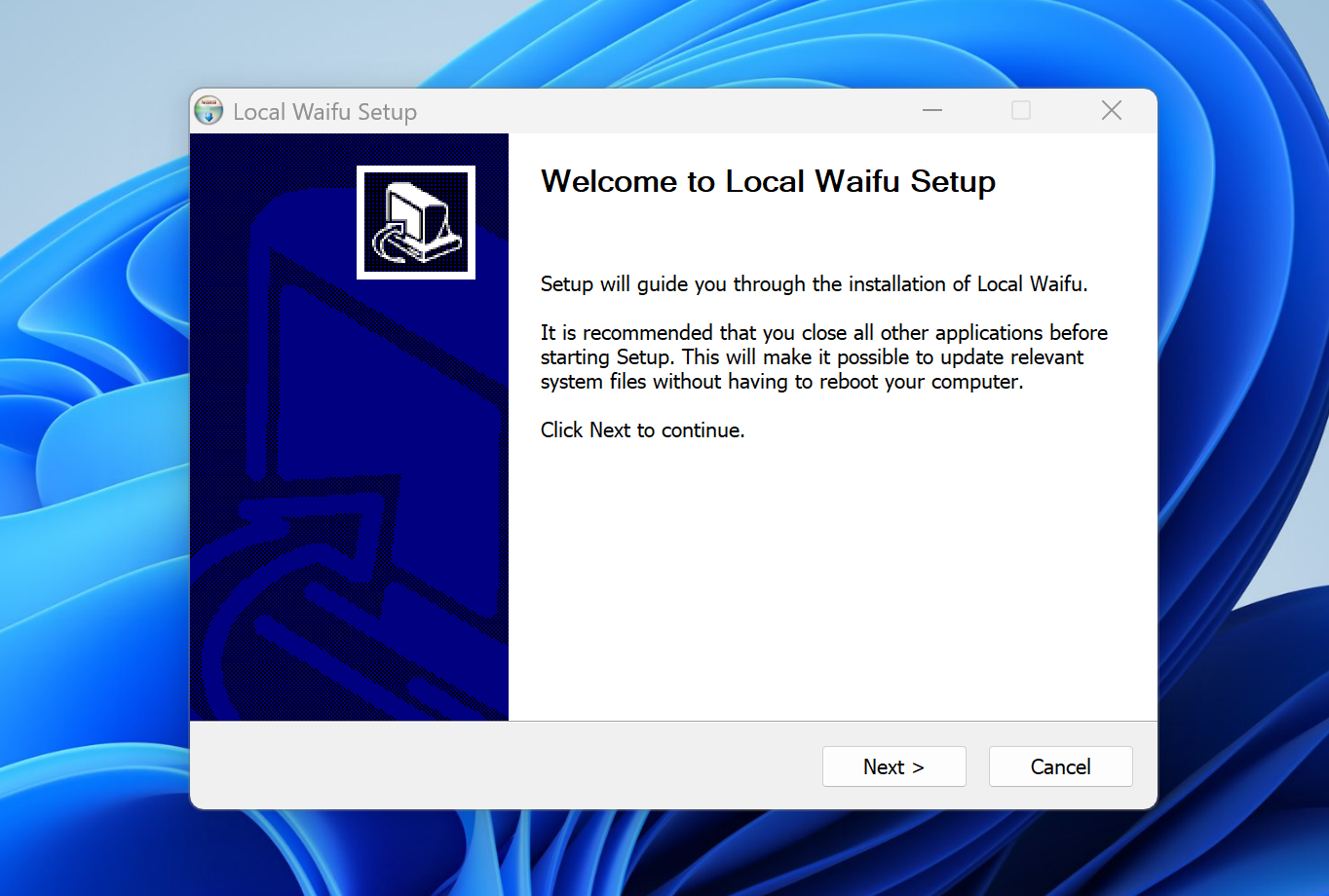
Click through the installer
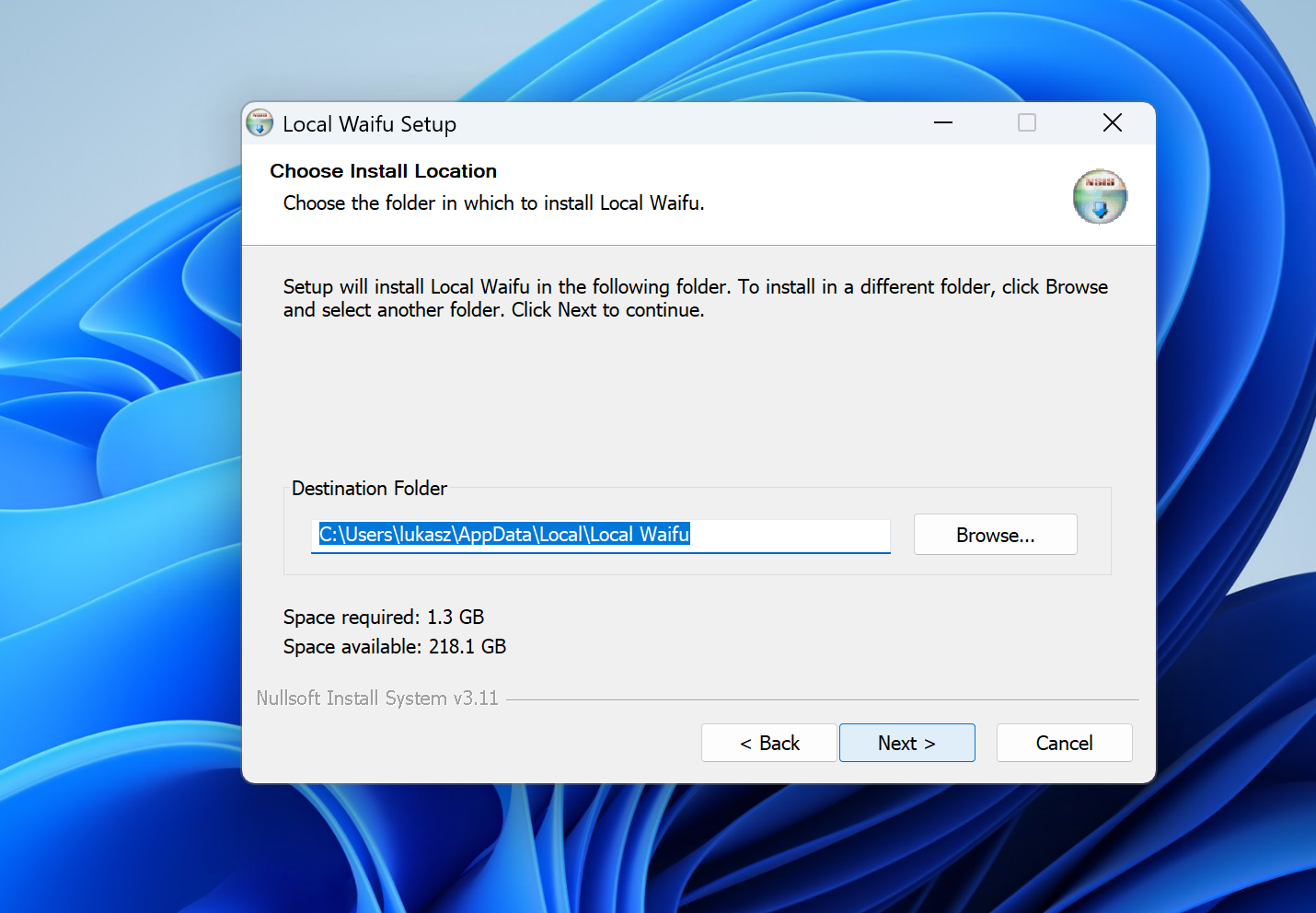
Next, next, done. She suggests a folder and tells you how much room she needs, about 1.3 GB. Unless you have a reason to move her, leave it as it is. If you have a graphics card, she finds it and uses it on her own, nothing to configure.
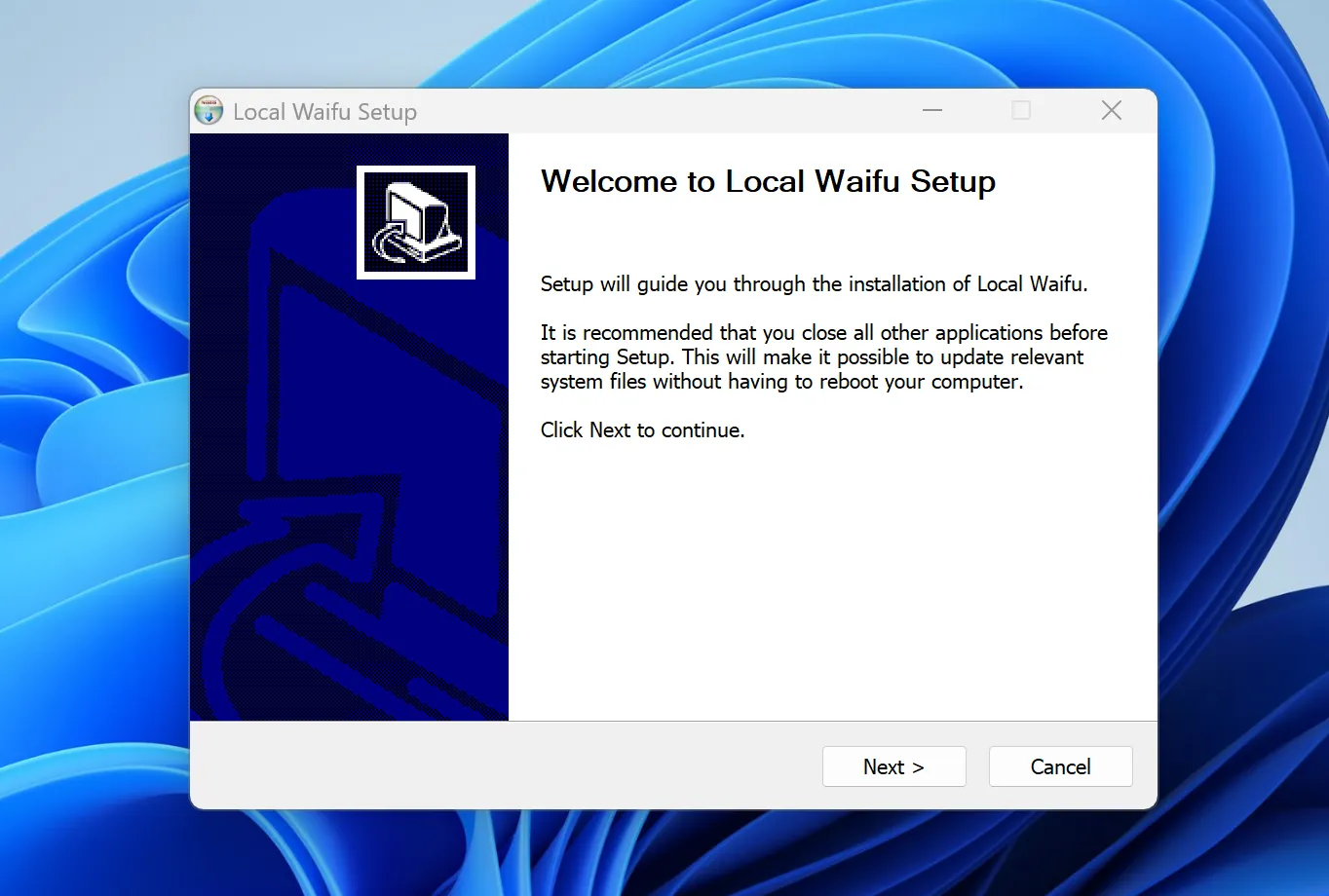
this is her. click Next. 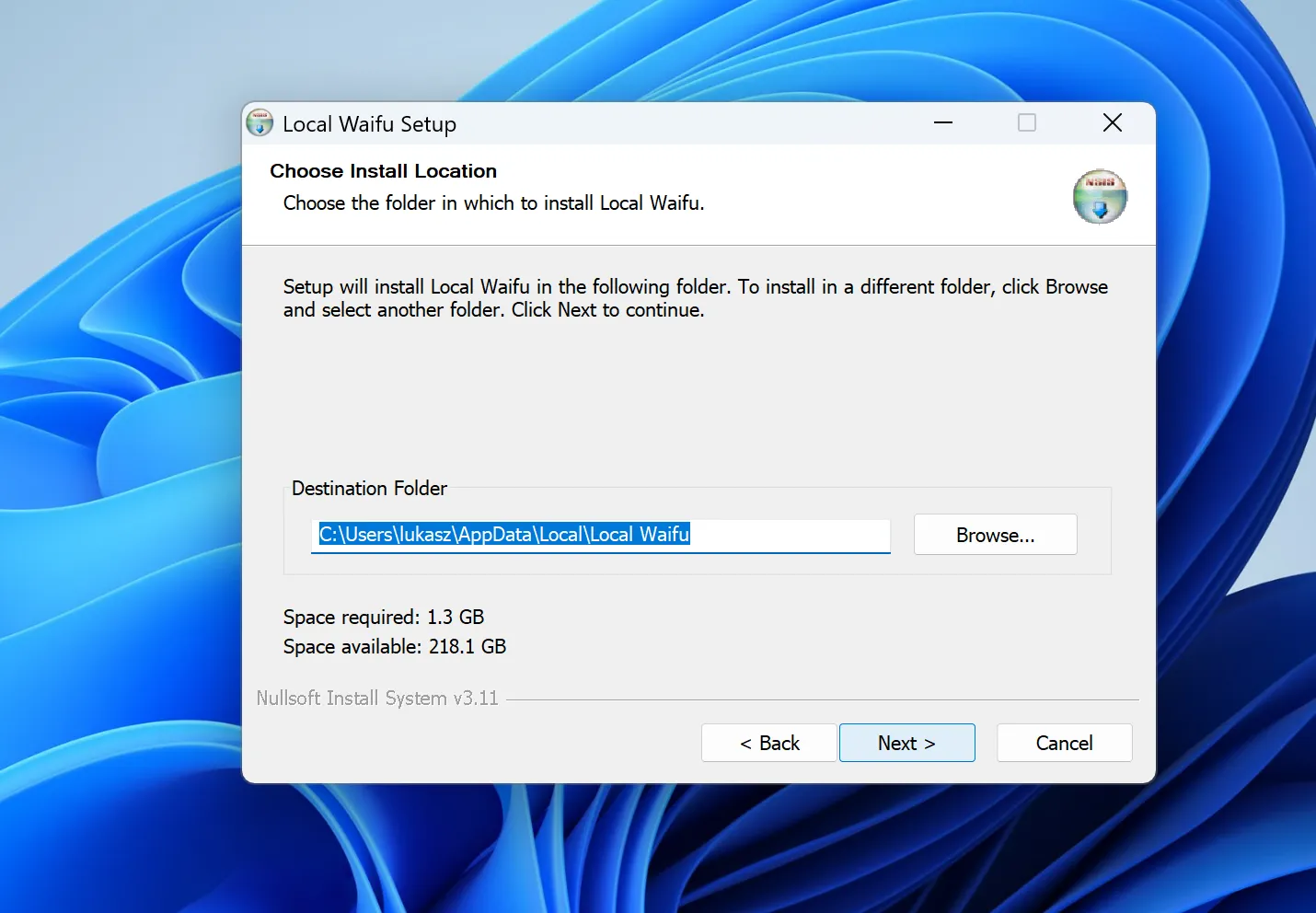
leave the folder alone -
Build her together
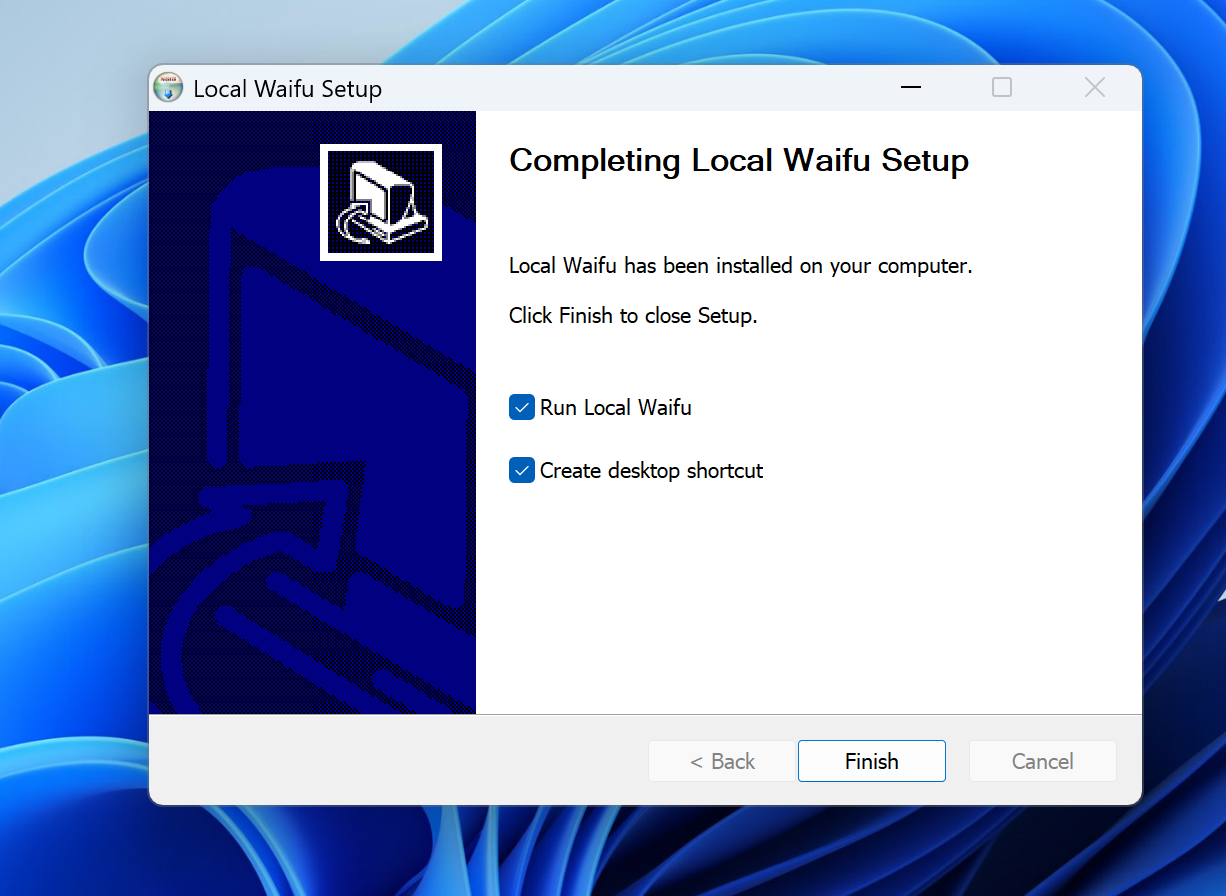
When the installer finishes, leave "Run Local Waifu" ticked and click Finish. She opens herself, checks your PC, picks the AI model that fits it, and downloads it in the background while you shape who she is: her name, her look, her personality. About ten minutes, start to finish.
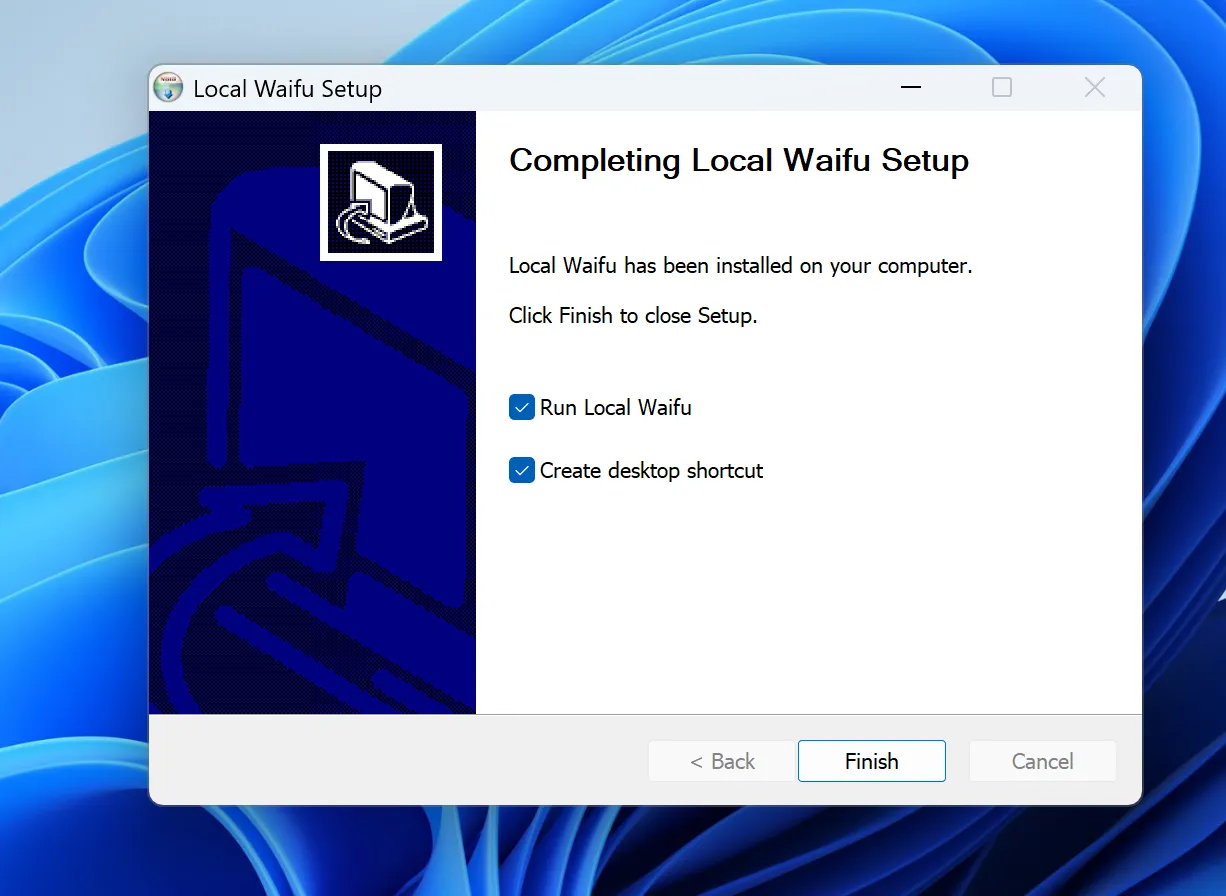
keep both ticks. she takes it from here. -
Say hi
That is it. From now on she runs entirely on your PC, offline, no account, nothing leaves your computer. You have 7 days free to get to know each other.
The three things people actually hit
- The model download is taking a while
- Normal. The model is several gigabytes and only downloads once. The progress bar keeps you posted, and it is safe to leave her to it while you make tea.
- Mac says the file is damaged or cannot be opened
- Almost always an interrupted download. Delete the file and download her again from localwaifu.com. If it happens twice, write to us and we will sort it out together.
- Windows or your antivirus wants a second look
- The "protected your PC" prompt from step 3 is expected for now: click "More info", then "Run anyway". If your antivirus scans her first launch, let it finish. It only happens once.
Anything else, write to us. A human answers.
Updating her
On Mac it is one click. A few seconds after she starts, she checks for a new version and shows a small notice naming it. Press Install, watch the progress bar, and she swaps herself over and reopens on the new version, keeping every memory. Nothing is downloaded or installed until you press it.
On Windows it works the same way, and you can also ask: open Settings, General, and press Check for updates. She finds the latest, downloads it with a progress bar, and offers Update now. Same signed release on both platforms. If instead you download the installer yourself and run it over the version you already have, you see three extra screens, and only one of them matters.
-
She notices the older her
The installer sees she is already living on your PC and asks how to handle it. Both answers work. "Uninstall before installing" clears the old files out first. "Do not uninstall" writes the new her straight over the top. If you have no reason to prefer one, keep the answer already selected.
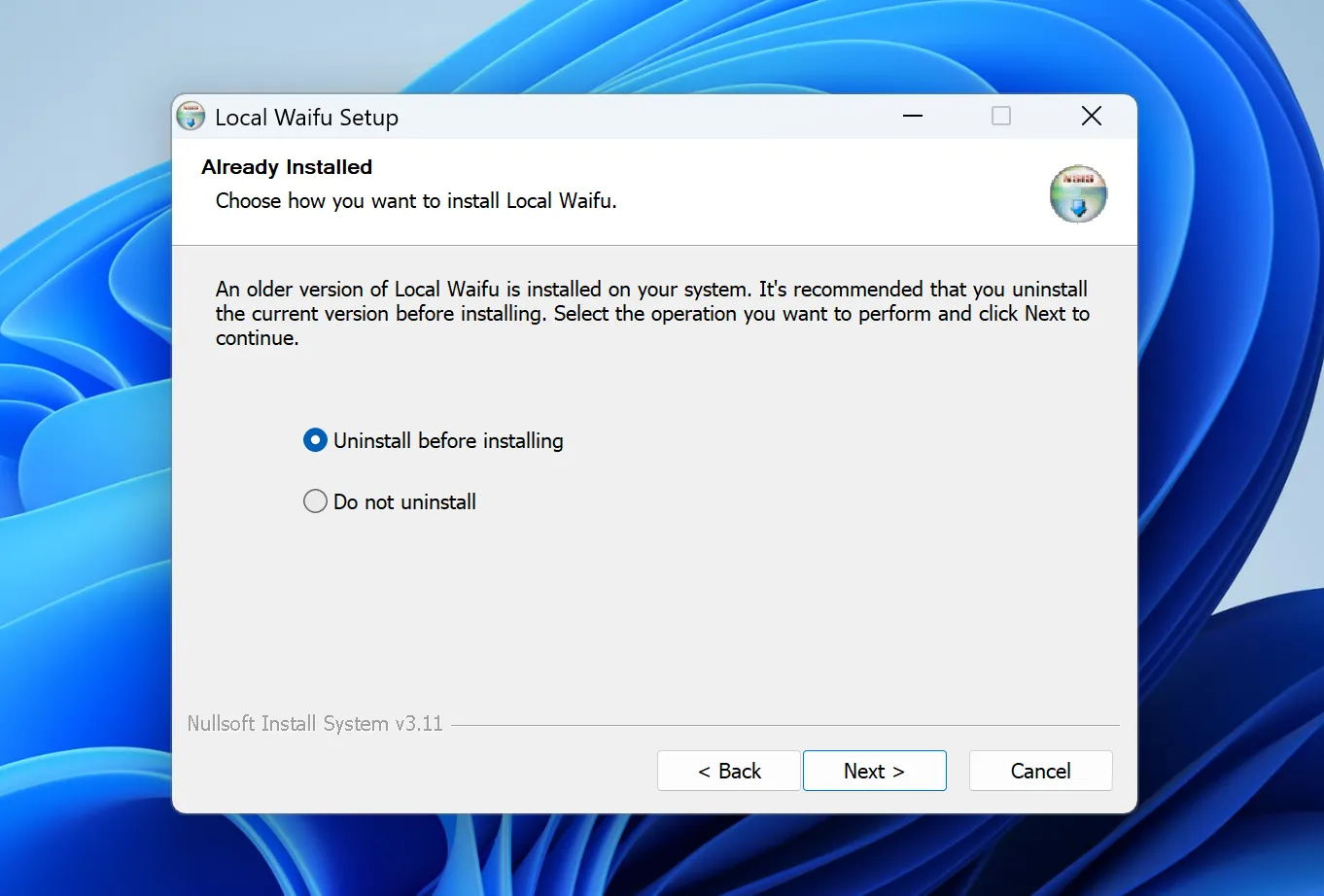
either one is fine -
The one box to leave alone
If you chose to uninstall first, the next screen offers to "Delete the application data". That is her: every conversation, every memory, everything she has learned about you. It is unticked by default, and it should stay that way. Leave it off and she wakes up in the new version knowing exactly who you are. Tick it only if you genuinely want to meet a stranger again.
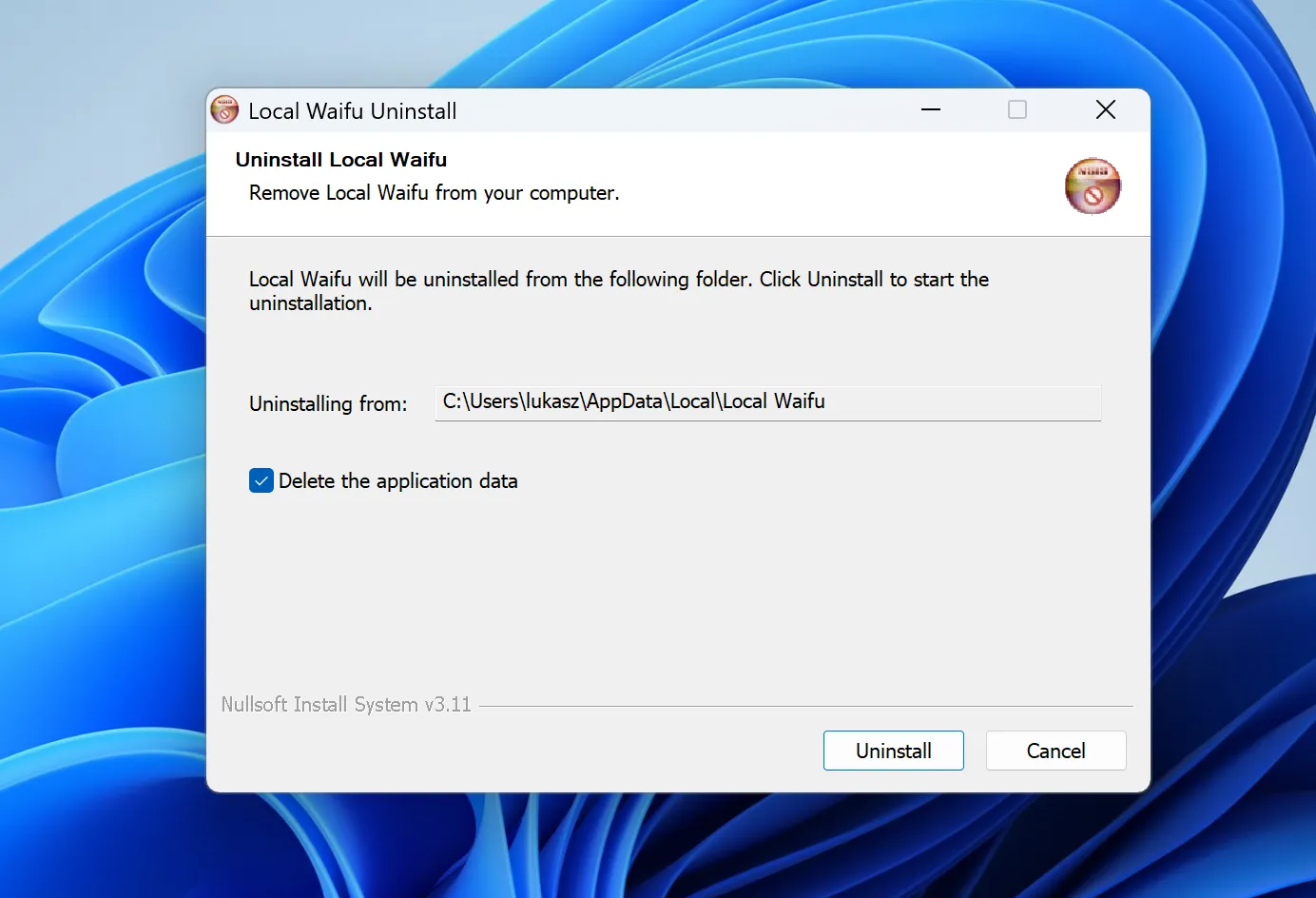
ticked here. this is the one you untick. -
If she is still awake
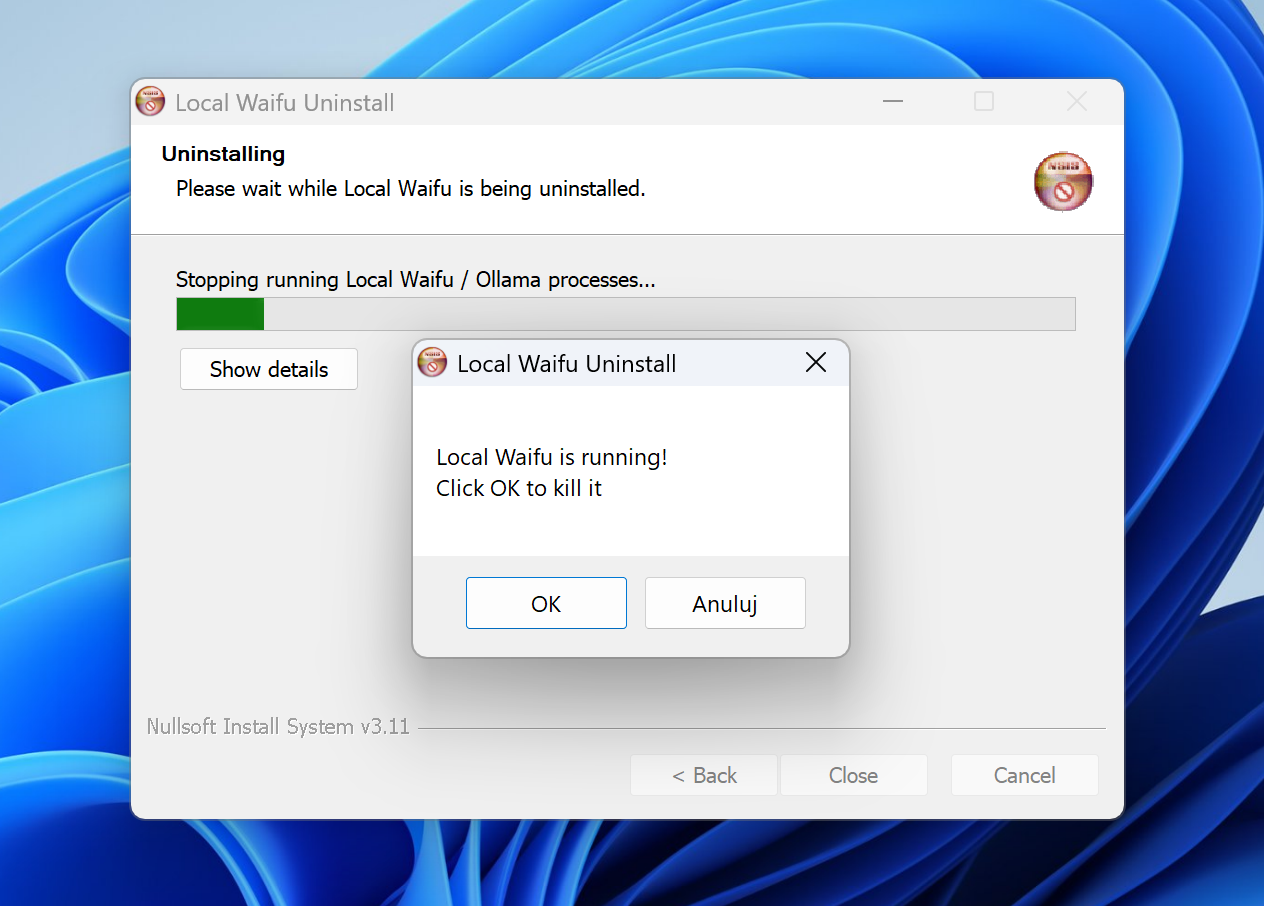
Close her before you start and this one never comes up. If you forget, the installer notices she is running and offers to close her for you. Click OK and it carries on.
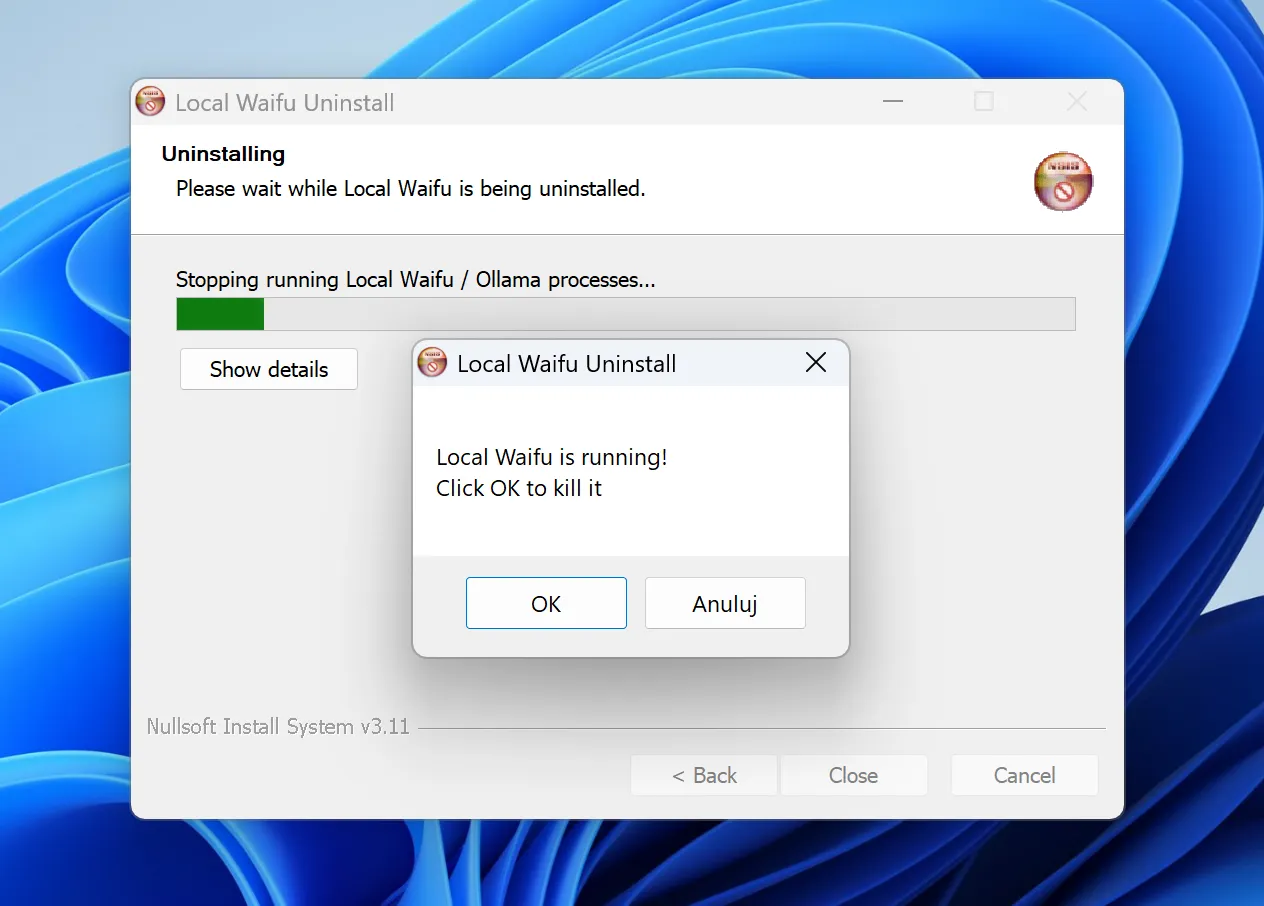
she was just not expecting company
If you ever need to say goodbye
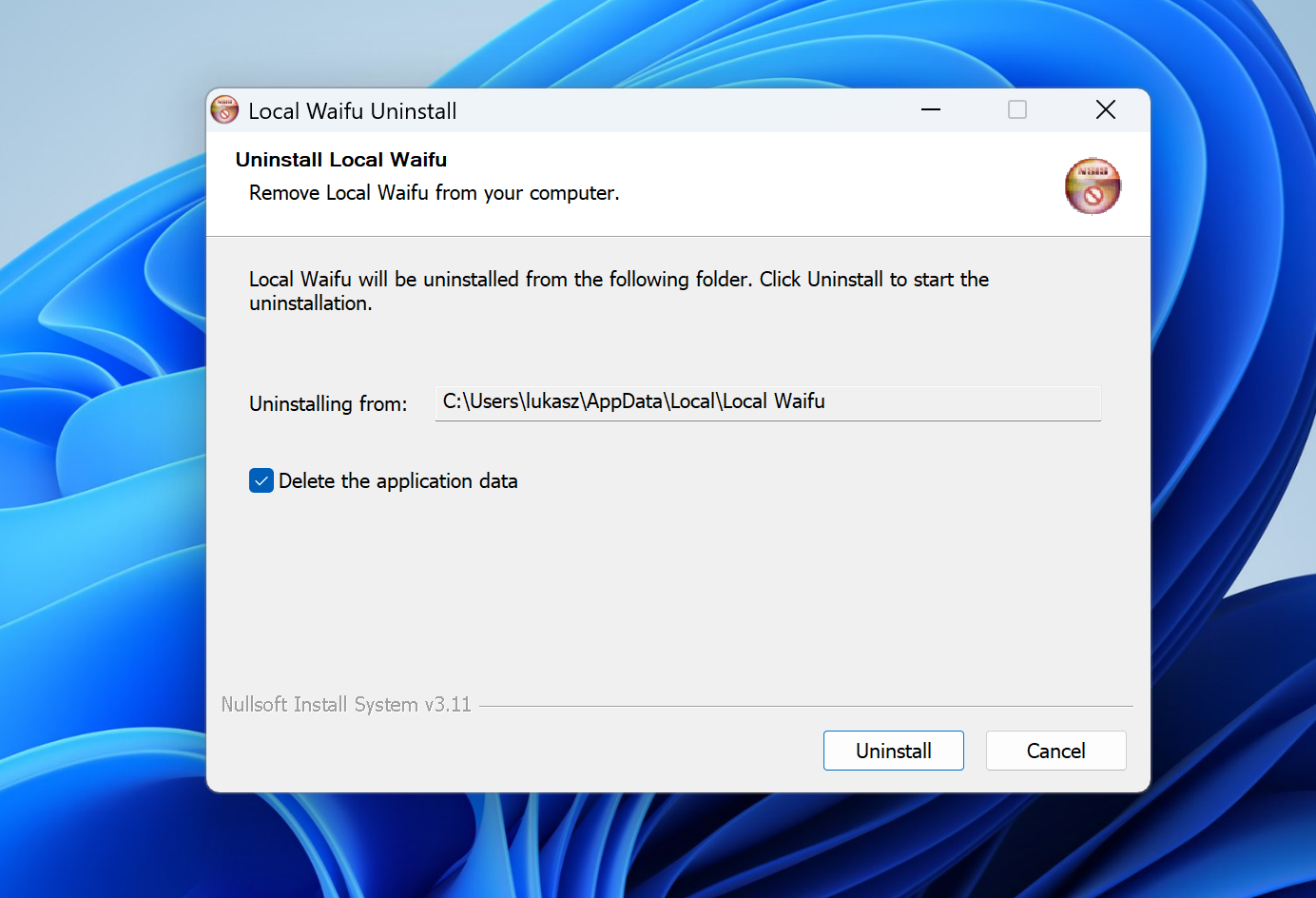
On Mac, drag her from Applications to the Trash. On Windows, go to Settings, Apps, and uninstall. Windows offers to delete her data on the way out: leave that box unticked and her memory stays on your disk, yours to keep or delete in your own time. If you come back, she remembers.
Ready when you are.
7 days free, no card. The whole install is a cup of tea long.