Local Waifu 1.7.3
everything she needs, in one quiet place
How can we help?
Clear steps for setting up Local Waifu, choosing models, protecting her memories, and fixing problems. Written for people, not developers.
macOSWindowsDirectStore/UnlockedLocal AICloud AI

Quick start
Get to the first good moment
Three short paths cover what most people need first.
01Start here
First 15 minutes
Install and meet her
Choose your edition, install the app, finish setup, and send the first message.
Open guide 02Models
Local AI
Choose a chat model
Pick a model that fits your computer and install the separate memory-search model.
Open guide 03Data
Keep her safe
Back up everything
Save conversations, memories, characters, settings, and generated pictures before an update or move.
Open guide Common tasks
What do you want to do?
Install on macOSApple Silicon, DMG, first launch Install on WindowsInstaller, SmartScreen, WebView2 Direct or Store edition?Trial, license, updates Install a model from Hugging FaceSearch, choose, test Generate imagesLocal or cloud, Gallery, Photo Director Connect TelegramPrivate bot, text, photos, voice Set up voiceDictation, spoken replies, calls Fix a problemStartup, models, images, voice
Browse everything
Four parts, 29 chapters
Start with a task. Read from beginning to end only if you want the full picture.
01
Start here
Install and get started
02
Everyday use
Chat, memory, and characters
03
Models and media
Models, images, and voice
04
Data and support
Integrations, data, and support
Real screens
See where to click
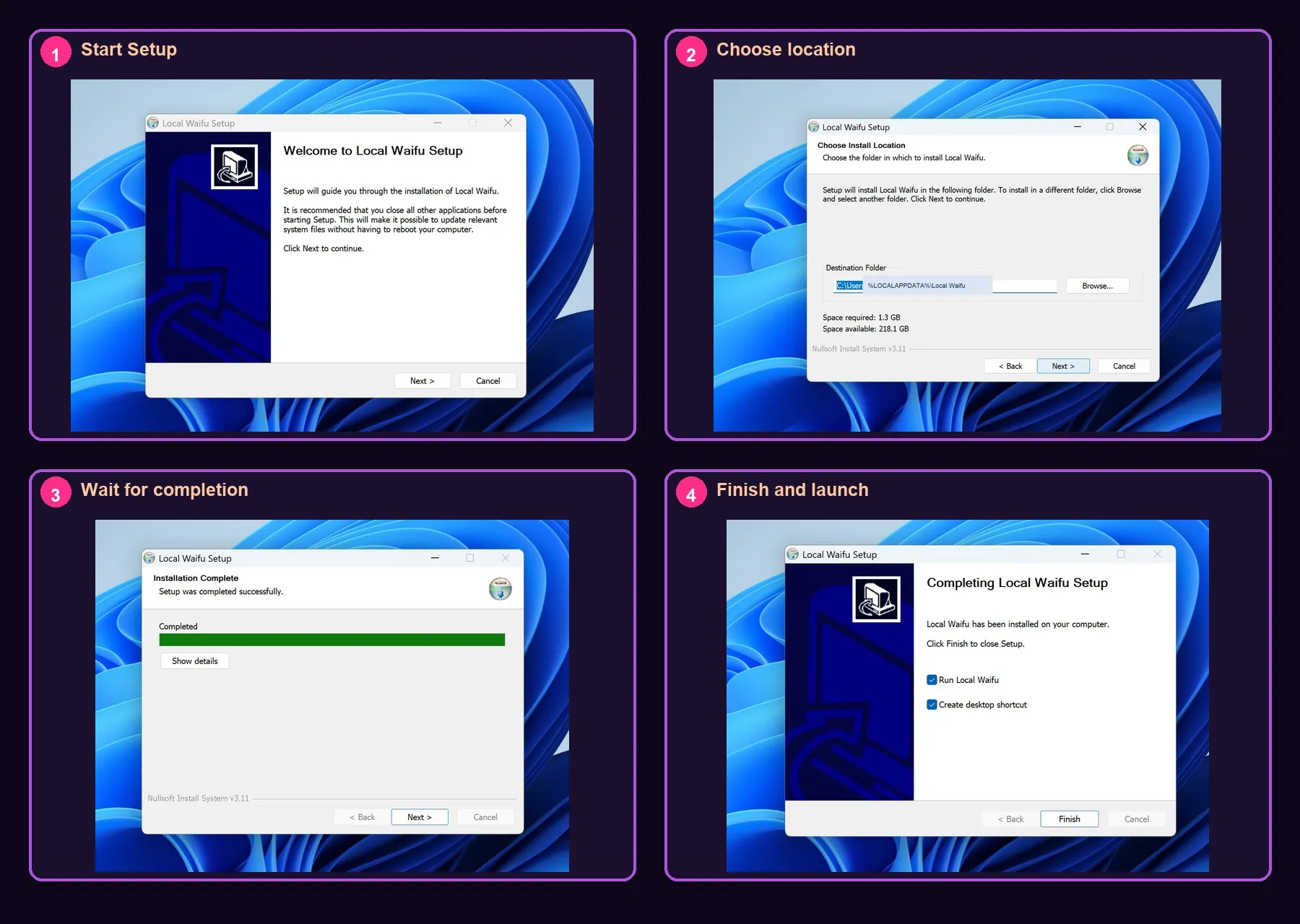
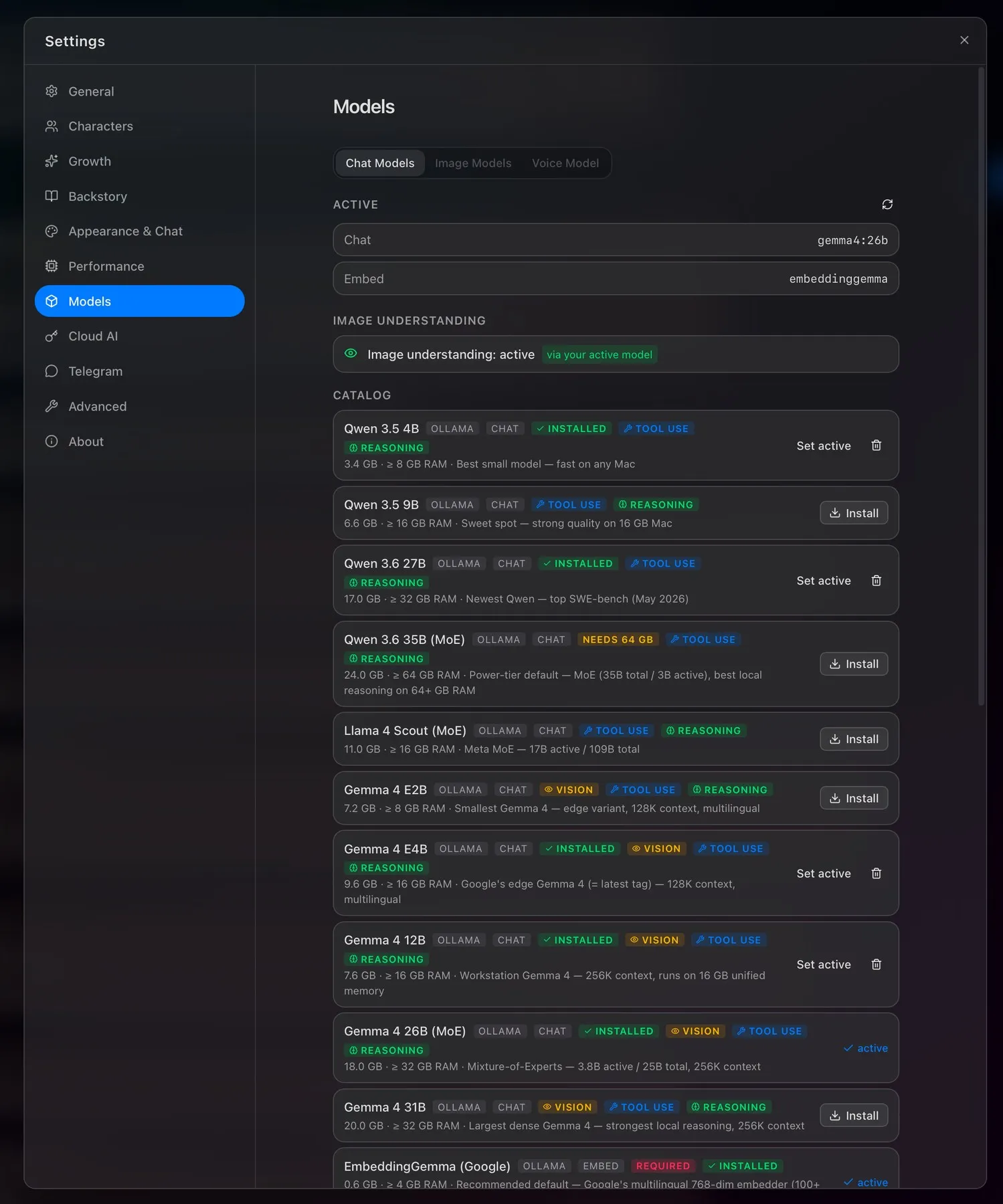
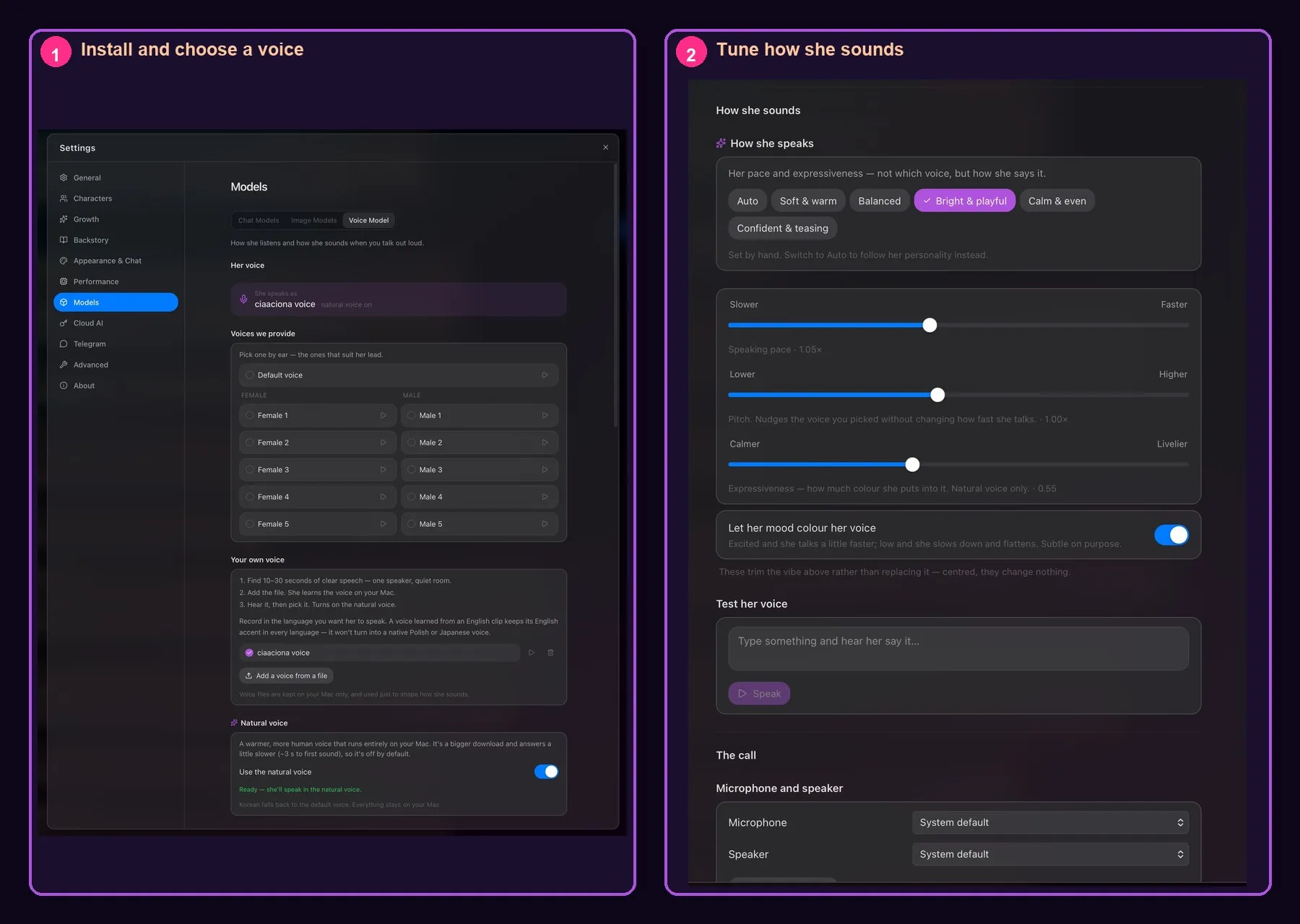
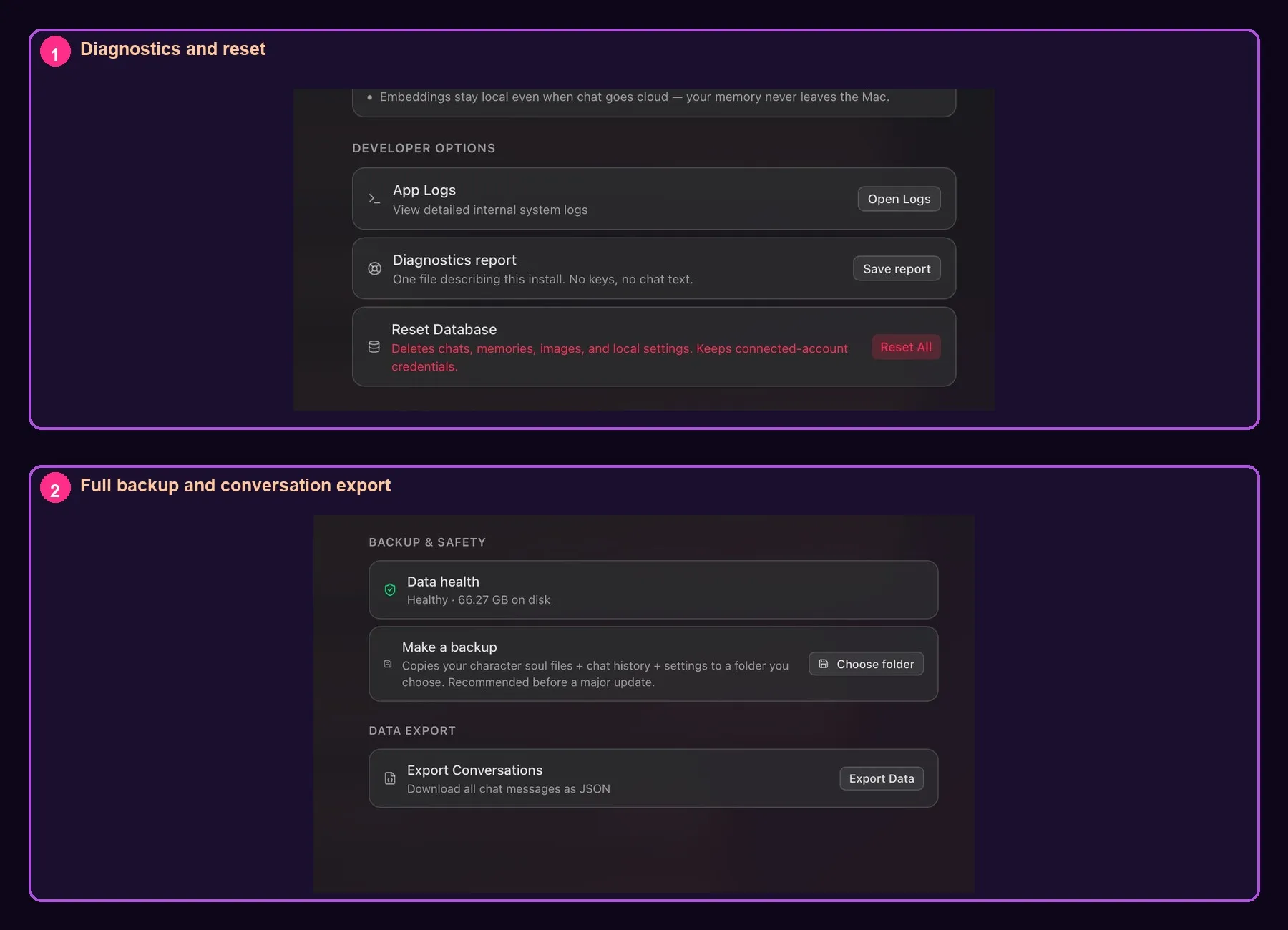
The guide uses screenshots from Local Waifu 1.7.3. No invented screens.
still stuck?