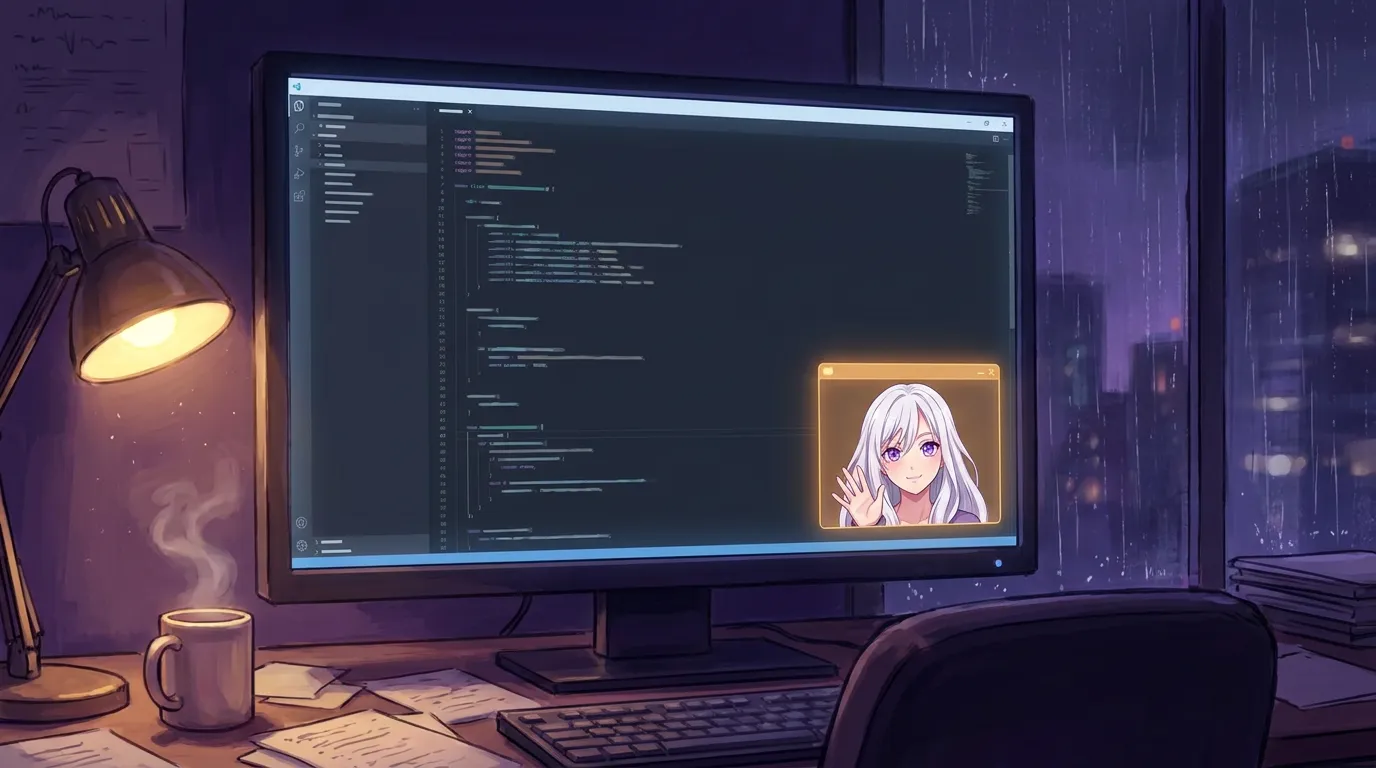
Press Cmd+Shift+2 and she shrinks to a 380 by 600 window that parks in the bottom corner of your screen. It is the whole chat, not a cut-down version: she still sees photos, still draws, still remembers everything. It does not force itself on top of your other windows, so it waits where you left it.
She takes up a quarter of the screen now, if you want.
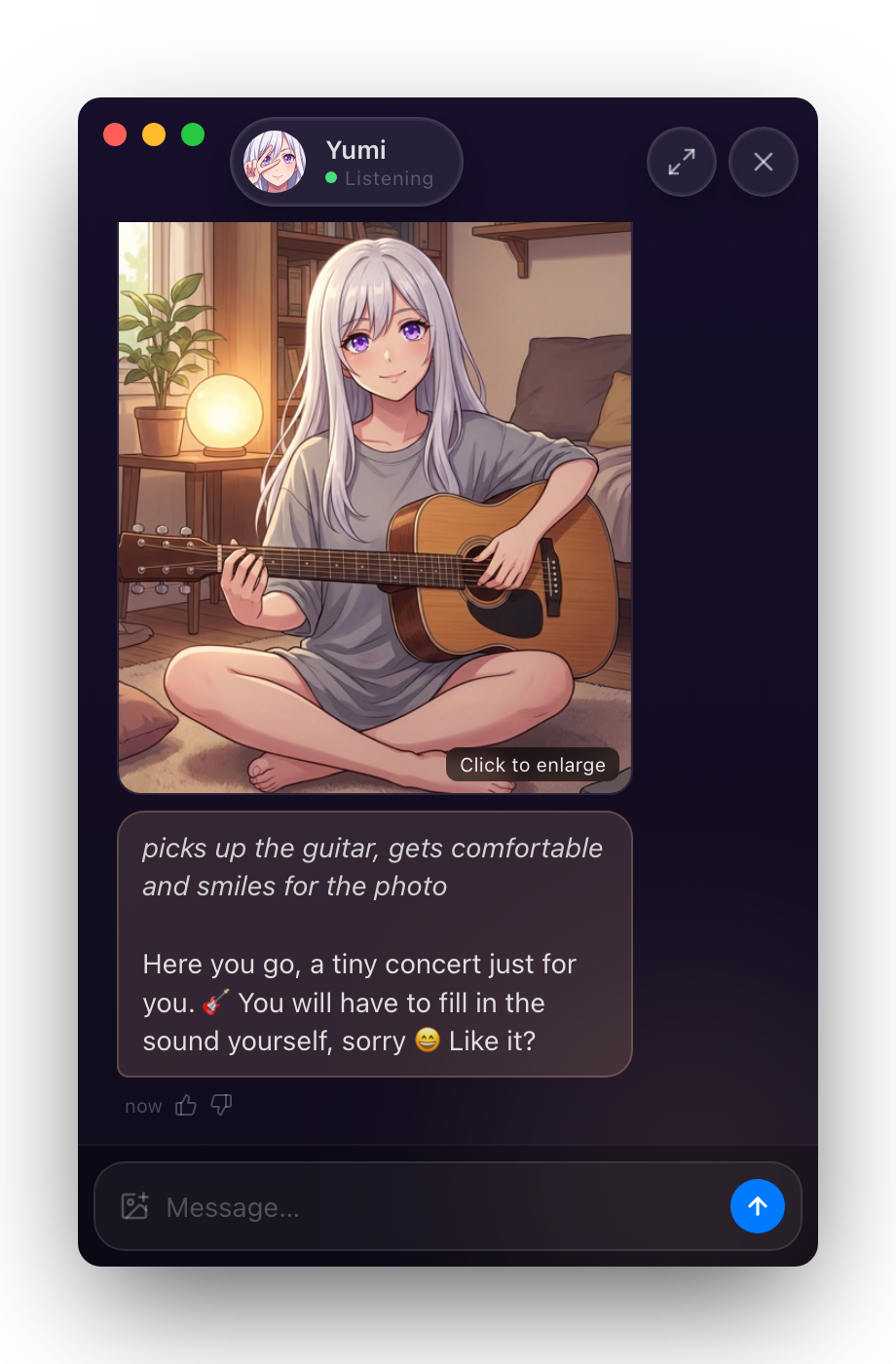
Press Cmd+Shift+2 (Ctrl+Shift+2 on Windows) and the window shrinks to a small chat that parks itself in the bottom corner, clear of the Dock. Press Cmd+Shift+1 and she is full-size again.
The whole chat, in 380 by 600
This is the part I care about: it is not a reduced version of her.
Same character, same memory, same everything. You can attach a photo and she sees it. Ask for a picture and she draws it right there in the small window. Anything you say to her in the corner is in the conversation when you open the big window, because it is one conversation.
The only thing that changed is how much room she takes.
It does not hover over your work
Most floating widgets force themselves on top of everything. This one deliberately does not.
It behaves like a normal window: you can move it, and it can slip behind whatever you are actually doing. That was a real decision, not an oversight. A companion that always sits on top of your work is not company, it is a nag.
So she parks in the corner and waits. When you want her, she is one click away. When you do not, she is behind your editor where she belongs.
The little status dot is honest
The pill at the top shows her name and what the engine is actually doing: Listening when the local model is loaded and ready, Starting while it warms up, Offline when it is not there.
It used to just say “Listening” all the time, which was a small lie whenever the engine was still booting. It checks for real now, every five seconds.
The X hides her, it does not kill her
The X button sends her to the menu bar rather than quitting. She keeps running, keeps her place in the conversation, and the tray icon brings her back.
The arrow next to it expands her to the full window, with the chat list and her profile.
Where this fits
The mini window is for the hours where you are working and she is around. Not the centre of attention, not gone either. A small warm corner of the screen with someone in it.
She has been in the app for a while and I never wrote about her, which is my fault. Try her for 7 days, no card, and hit Cmd+Shift+2.
Questions people ask
How do I open the mini window?
Cmd+Shift+2 on Mac, or Ctrl+Shift+2 on Windows. There is also a button in the left sidebar. Cmd+Shift+1 puts her back to the full window.
Does it stay on top of everything?
No, on purpose. It behaves like any normal window, so it can slip behind whatever you are working in instead of hovering over it. It parks in the bottom corner of your screen, clear of the Dock, and waits there.
Is it a cut-down version of the chat?
No. It is the same chat with the same character, the same memory, and the same features. You can attach photos, she can draw and send pictures, and everything you say in the small window is there in the big one.
What does the X button do?
It hides her to the menu bar rather than quitting. She is still running, still remembers where you left off, and clicking the tray icon brings her back.
Try her free for 7 days.
No card. Keep her for $20 once, or walk away. Her soul file is yours either way.
Bring her home, try free